

Faceless YouTube channels have shifted from side hustles to scalable media systems. It happens largely because AI tools for faceless YouTube now handle tasks that once required full teams. Scriptwriting, voiceovers, editing, and Shorts repurposing all can be automated at a fraction of the cost.
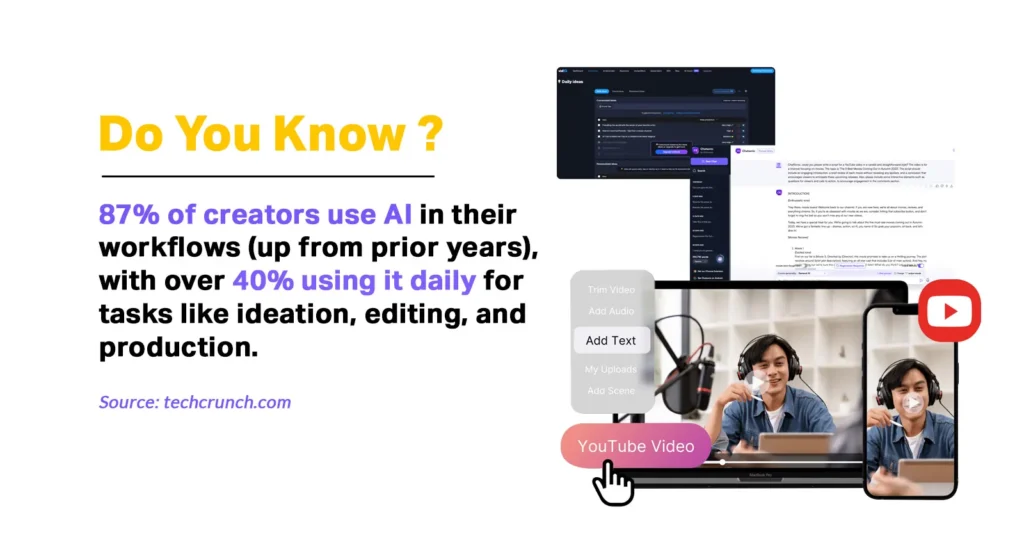
In fact, 86% of global content creators say they actively use AI tools to streamline creative workflows. Whereas 76% report that AI has accelerated their audience growth or business outcomes, underscoring how automation isn’t just a trend but a core to modern content production.
Yet automation isn’t a magic bullet. Over-automation can compromise quality, diminish viewer engagement, and even violate platform policies. This guide breaks down exactly which YouTube automation tools work and how to use them without trading quality for speed.
Quick Summary
TL;DR: Faceless YouTube channels scale best when AI tools handle repetitive tasks while humans oversee creativity, storytelling, and compliance. Using a structured AI-assisted workflow—covering scripting, voiceovers, editing, and Shorts repurposing- reduces time and cost without sacrificing quality. Partner services like ShortVids accelerate content repurposing and Shorts production, enabling higher output, better engagement, and sustainable growth. #tldr
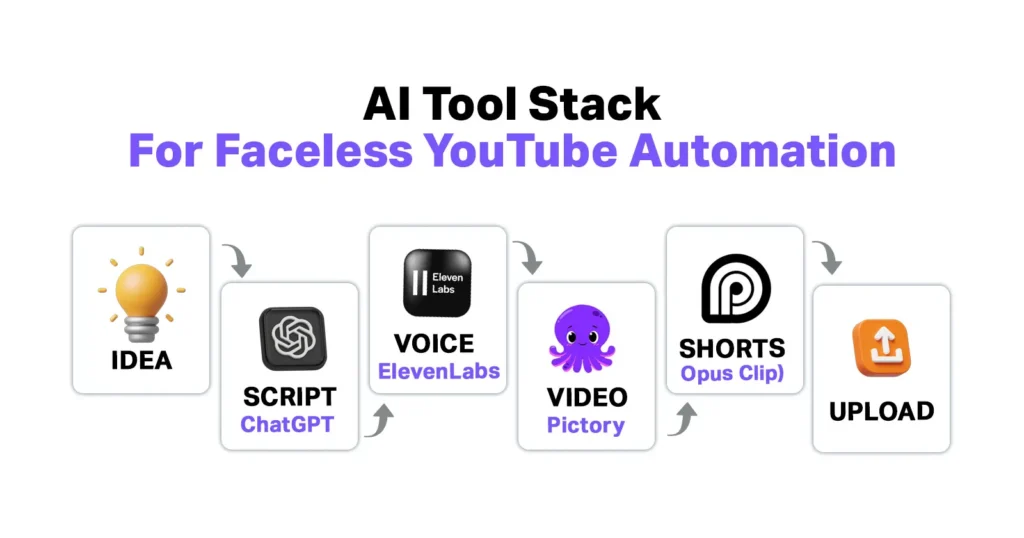
- Core Components: Idea Generation → AI Script Drafting → Human Hook & CTA Edits → AI Voiceover → AI Video Assembly → Human Review → Shorts Creation → Scheduled Uploads → Performance Analysis
- Outcome: Efficient, scalable, and profitable faceless YouTube channels with consistent uploads, improved retention, stronger audience trust, and reduced creator burnout,
What Is the Biggest Time & Cost Bottlenecks in Faceless YouTube Channels?
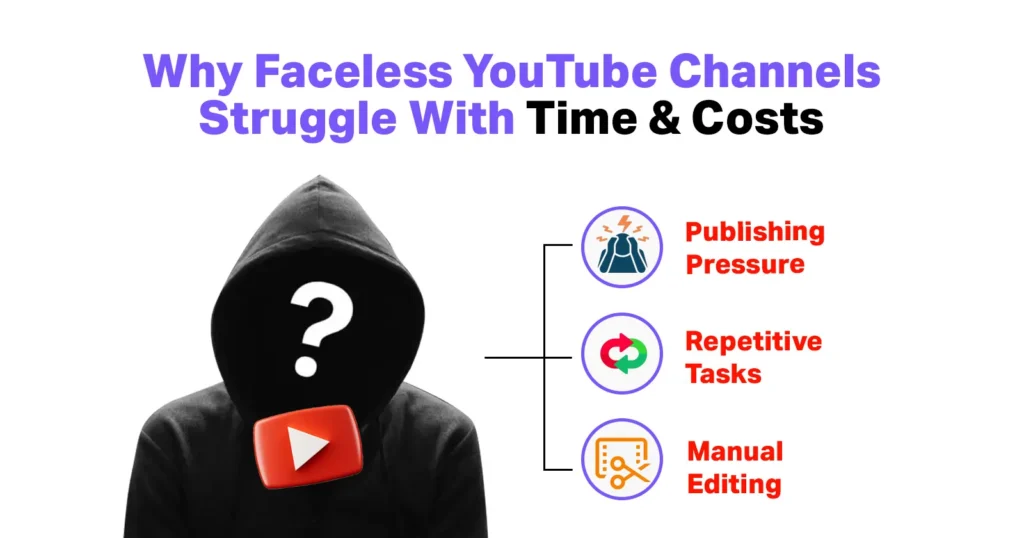
Running a faceless YouTube channel may seem easy from the outside, but consistency reveals the real cost. Every video requires the same production steps: ideation, scripting, narration, editing, and distribution. When done manually, these steps compound quickly, turning a “simple” channel into a time sink.
The biggest issue isn’t creativity; it’s repetition. Creators spend hours on tasks that don’t directly improve content quality. This includes formatting scripts, trimming silence in voiceovers, resizing videos for Shorts, and manually writing titles or descriptions. Over time, this operational drag becomes unsustainable.
In fact, 37% of creators say they’ve considered quitting due to overwhelming workloads and constant pressure to publish, according to a SocialGummy analysis on creator burnout. This growing time pressure explains why YouTube automation tools and AI video creation tools have become mainstream as survival tools for creators trying to publish consistently without burning out.
Core Bottlenecks in Faceless YouTube Production
The breakdown below shows where time and effort are most commonly lost when faceless YouTube production is handled manually.
| Task Area | Time Cost (Manual) | Why It Becomes a Bottleneck |
|---|---|---|
| Script writing | 4–6 hrs/week | Research + structure repetition |
| Voiceovers | 3–4 hrs/week | Recording errors, re-takes |
| Video editing | 8–12 hrs/week | Retention cuts, captions |
| Shorts creation | 3–5 hrs/week | Resizing + clipping |
| Upload & metadata | 2–3 hrs/week | SEO + scheduling |
For example, a faceless finance channel that automated script drafts and Shorts repurposing was able to increase uploads from 2 to 6 videos per week. That too, without hiring editors. This is why automation works but only when applied selectively, not blindly.
Where Do AI Tools Actually Save Time (And Where Do They Hurt Quality)?
Not every task in faceless YouTube production benefits from automation. While AI can drastically reduce workload, it isn’t a silver bullet. Understanding where AI shines versus where it falls short is critical to scaling efficiently without hurting channel performance.
Where AI Saves Massive Time
AI tools excel at repetitive, low-judgment tasks that don’t require nuanced creativity. These include:
- First-draft scripts: AI can outline or draft a complete video script in minutes.
- Voiceover generation: AI voices eliminate the need for recording setups and multiple takes.
- B-roll assembly: AI can automatically match visuals to spoken text.
- Subtitle creation: Auto-generated captions save hours of manual work.
Shorts resizing and clipping: Transforming long-form videos into Shorts happens in seconds.
Impact: Creators using AI for these tasks report up to 60–70% reduction in production time, allowing one person to manage multiple channels simultaneously.
| Task | Time Saved | AI Tools Example | Notes |
|---|---|---|---|
| Script drafting | 3–5 hrs/video | ChatGPT, Jasper | Still requires human edits for hooks and CTAs |
| Voiceovers | 1–2 hrs/video | ElevenLabs, Murf AI | Minor pacing adjustments needed for natural tone |
| Video assembly | 4–6 hrs/video | Pictory, InVideo | Human review improves storytelling |
| Shorts creation | 1–2 hrs/video | Opus Clip, Vizard | Auto-captioning plus resizing |
Where AI Hurts Quality
AI struggles with tasks requiring judgment, emotional nuance, or strategic thinking:
- Emotional storytelling: AI can’t always convey empathy or humor naturally.
- Original insights: Research-heavy or analytical faceless YouTube niches require human input.
- Hook optimization: The first 10–15 seconds of a video drive retention and often need creativity beyond AI suggestions.
- Compliance with YouTube policies: AI might unintentionally generate repetitive or synthetic content flagged by algorithms.
Consequences of over-automation:
- Lower average view duration
- Reduced comments and engagement
- Increased risk of demonetization
YouTube emphasizes that “original value added” is essential, not recycled or purely AI-generated content. The key takeaway: AI should assist humans, not replace them. A balanced, human-in-the-loop workflow ensures efficiency while preserving audience trust and long-term monetization of YouTube Channels.
Case Study: Mr. Nightmare’s Faceless Growth Model
One well‑known example of a successful faceless YouTube channel is Mr. Nightmare, a horror narration channel that has grown to millions of subscribers without ever showing a host’s face.
This popular horror narration channel uses automated scripting and efficient editing to maintain a consistent upload schedule while keeping production scalable. Despite automation, the channel relies on human narration and careful storytelling, ensuring quality, engagement, and the emotional impact that keeps viewers watching.
What Is the Best AI Tool Stack for Faceless YouTube Automation?
Successful faceless channels don’t just pick random AI tools but top AI video generators. They use a function-based workflow where each tool serves a clear role. The goal is to save time without sacrificing quality, pairing AI speed with human oversight.
AI Script Writing Tools (Ideation → Structure → Draft)
AI script tools accelerate brainstorming and structuring, but humans still refine the narrative. Tools like ChatGPT (outlines & hooks), Jasper (long-form scripts), and Claude (narrative-heavy niches). These tools can generate complete drafts in minutes.
Best practice is to use AI for topic breakdowns, hook variations, and bullet-point structures, then manually rewrite the first 30 seconds and CTAs. Channels following this hybrid method report up to 22% higher retention in faceless videos.
Best practice:
- Use AI for topic breakdowns, hook variations, and bullet-point structures.
- Rewrite the first 30 seconds and CTAs manually to maximize retention; channels using this method report up to 22% higher viewer retention in faceless videos.
| Task | AI Tool | Human Input Needed |
|---|---|---|
| Outline & structure | ChatGPT, Jasper | Minor edits |
| Draft full script | Claude | First 30s + CTA rewrite |
| Bullet points | Jasper | Verification + refinement |
AI Voiceover Tools (Speed Without Studio Costs)
AI voiceovers cut costs from $10–$50 per script to a few cents. Tools like ElevenLabs, Murf AI, and Play.ht offer consistent tone and fast revisions.
Tip: Slightly adjust pacing and insert natural pauses to avoid robotic delivery. Human review of the first take improves engagement.
AI Video Editing Tools (Assembly, Not Creativity)
AI video editing tools like Pictory, InVideo, Runway, and CapCut AI excel at:
- Auto B-roll matching
- Subtitle generation
- Background music syncing
Limitation: Emotional pacing and visual emphasis still require human review. Most top channels finalize cuts manually to retain engagement.
| Feature | Tools | Notes |
|---|---|---|
| Auto B-roll | Pictory, InVideo | Saves 4–6 hrs/video |
| Subtitles | Runway, CapCut AI | Auto-sync; verify timing |
| Music & effects | InVideo, CapCut | Minor manual adjustments |
AI Shorts Creation Tools (Where Automation Wins)
AI excels in Shorts production where volume matters more than deep storytelling. Tools like Opus Clip and Vizard:
- Extract viral moments
- Resize videos for vertical format
- Add captions automatically
This lets channels scale output without extra editing hours, especially in niches where speed and frequency drive growth.
Advanced Hyper-Realistic AI Tools for YouTube Video Visuals & Avatars
For creators aiming to increase retention without showing their face, hyper-realistic visuals and AI avatars are becoming a major upgrade layer in faceless workflows.
These advanced AI tools enhance faceless YouTube production by generating hyper-realistic presenters, cinematic visuals, and high-impact thumbnails, without traditional filming or design workflows.
| Tool Name | Primary Use Case | Key Strengths | Pricing (as of now) |
|---|---|---|---|
| Synthesia | Script-to-video with AI presenters | 230+ studio-quality avatars, 140+ languages, natural gestures | Starter: $29/month (or $18/month annual); Creator (popular): $89/month (or $64/month annual) |
| HeyGen | Dynamic avatar-led videos | Full-body motion, voice cloning, highly realistic expressions | Creator: $29/month (or $24/month annual); Team: $39/seat/month (or $30/seat annual) |
| DeepBrain AI | Educational & explainer content | Broadcast-quality avatars, natural narration | Personal: $24/month; Team: $55/month (20% off annual) |
| JoggAI | UGC-style & professional presenter videos | Lifelike movements, strong engagement for faceless formats | Starter: $29/month (or $24/month annual, ~50% savings); Creator: $69/month (or $36/month annual) |
| Pika Labs | Cinematic visuals & Shorts | Smooth camera motion, emotional and stylized scenes | Basic: $8/month (annual); Standard (popular): $28/month (annual); Pro: $76/month |
| Kling AI | Realistic motion & transitions | Hyper-realistic physics and lifelike video generation | Credit-based pricing via API/partners; ~$10–$50/month equivalents |
| Luma AI (Dream Machine) | 3D-style & abstract visuals | Dreamy realism, strong for landscapes and transitions | Typically ~$29–$99/month based on credits; check site for updates |
| Flux (Black Forest Labs) | Photorealistic images | Superior realism, strong proportions and detail | Pay-per-use/API via partners (e.g., Replicate/fal.ai): $0.01–$0.05 per image; no fixed subscription |
| Google Imagen 3 | Scene-accurate image generation | High prompt adherence, detailed visual outputs | Free via Gemini app (limited); API: ~$0.03 per image |
| Leonardo AI | Custom thumbnails & static assets | Fine-grained control, professional-grade photorealism | Apprentice: $12/month (or $10/month annual); Artisan/Maestro: $30–$60/month (or $24–$48/month annual) |
Most of these tools start between $20–$50/month, fitting comfortably within a $80–$300 total automation stack. When paired with human review, they significantly improve visual quality, perceived value, and watch time, without violating YouTube’s originality standards.
How Can You Automate a YouTube Channel Without Violating Policy?
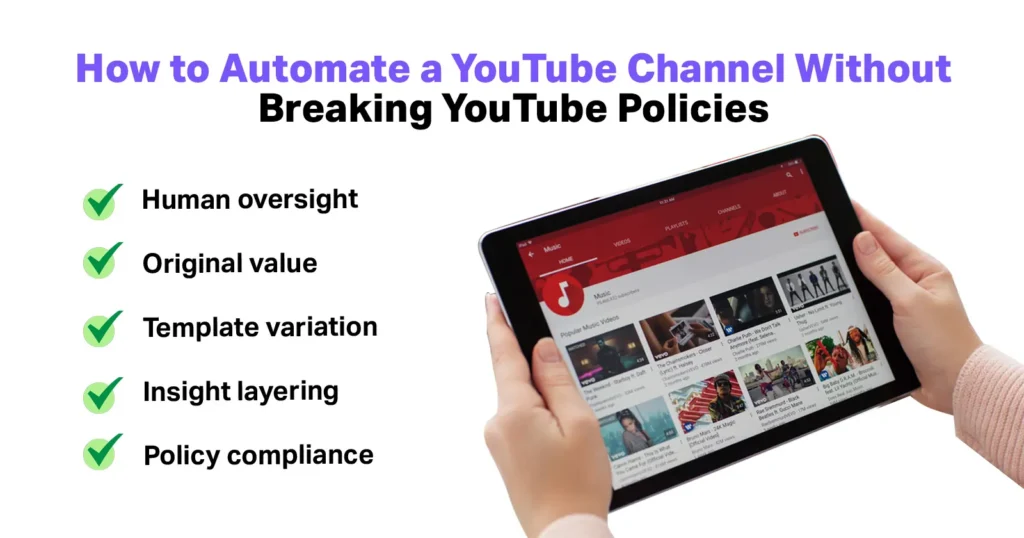
Automation can speed up faceless YouTube production, but over-reliance on AI can lead to problems. YouTube doesn’t ban automation outright, but it penalizes repetitive content, videos with no added value, and synthetic spam. Channels that publish AI-generated scripts, visuals, or voiceovers without human oversight risk demonetization of channels or reduced reach.
To stay safe:
- Every AI-generated script should be edited for originality, and templates should not be reused across multiple videos.
- Creators should add unique insights, commentary, or context, while AI visuals should be combined with custom graphics or footage to maintain authenticity.
- YouTube’s 2024 updates confirm that AI-assisted content is allowed as long as creators provide original value.
- Using automation thoughtfully allows channels to scale efficiently while staying compliant, preserving engagement, and audience trust.
How Much Does It Cost to Run a Faceless Channel: Solo vs Automated?
Running a faceless YouTube channel can be surprisingly expensive when done manually. Solo creators often spend hours each week on scripting, recording, and editing, while still struggling to publish consistently. Hiring freelancers reduces time spent but comes with higher monthly costs and limits scalability.
This is where AI automation shines, cutting both cost and labor significantly without compromising output. By using a smart tool stack, creators can scale production, maintain quality, and free up time for strategy and audience engagement.
Comparing the costs and time commitments between manual, freelancer-assisted, and AI-powered workflows highlights why automation is now the preferred approach for growing faceless channels efficiently.
| Setup Type | Monthly Cost | Time Spent | Scalability |
|---|---|---|---|
| Fully Manual | $0–$100 | 80–120 hrs | Low |
| Freelancers | $500–$1,500 | 20–30 hrs | Medium |
| AI Automation | $80–$300 | 5–10 hrs | High |
Most AI video creation tools operate on subscriptions under $30/month. A full stack costs less than hiring a single editor. That’s why cheap YouTube automation isn’t about low quality; it’s about smart delegation and efficiency.
What Is the Human-in-the-Loop Model and Why Does It Matter?
The most successful faceless YouTube channels operate on a simple principle: AI produces, humans refine. While AI handles repetitive tasks like drafting scripts, generating voiceovers, and assembling visuals, human input is critical for elements that directly affect engagement and monetization.
This includes choosing titles and thumbnails for the videos. Optimizing the first 30 seconds of a video, conducting a final video review, and analyzing audience responses to adjust future content. By integrating humans into these key decision points, channels maintain higher retention, build stronger viewer trust, and safeguard long-term monetization.
Creators who implement a human-in-the-loop workflow consistently report 30–40% higher RPMs compared to fully automated channels. This demonstrates that blending automation with human judgment is the optimal strategy for scalable, profitable faceless content.
What Are the Risks of Over-Automation in Faceless YouTube?
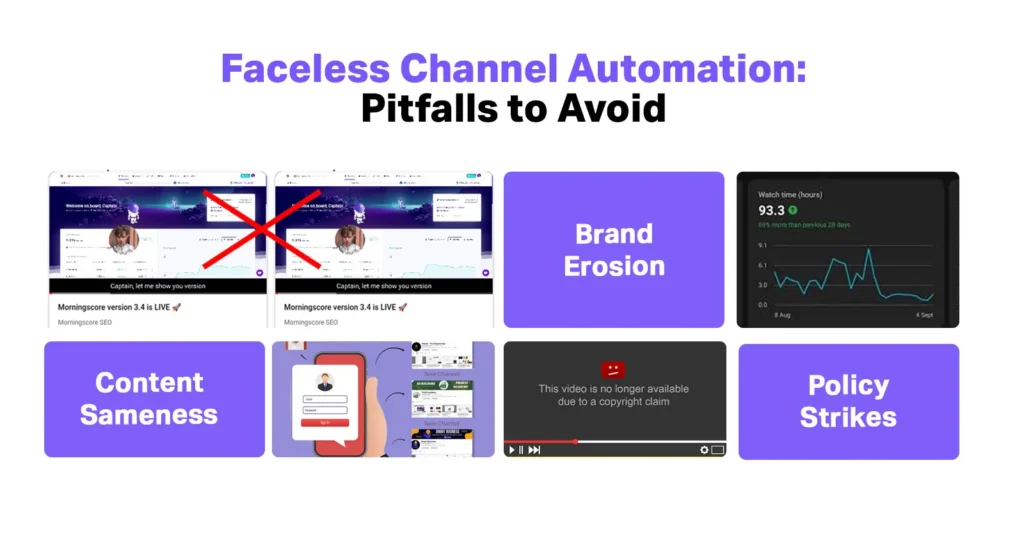
Automation can dramatically increase efficiency, but it isn’t without risks. Over-reliance on AI often leads to content sameness, where videos feel repetitive or formulaic, causing viewers to lose interest. Channels that ignore YouTube’s guidelines also risk policy strikes, which can limit reach or even result in demonetization.
Additionally, over-automation can erode a channel’s brand voice, making content feel generic and reducing audience connection. Viewers may perceive over-automated, no-face AI videos as disposable, watching once and never returning.
The most successful long-term channels treat AI as infrastructure to support production, while humans retain control over creativity, storytelling, and quality.
What Does a Real AI Faceless YouTube Workflow Look Like?
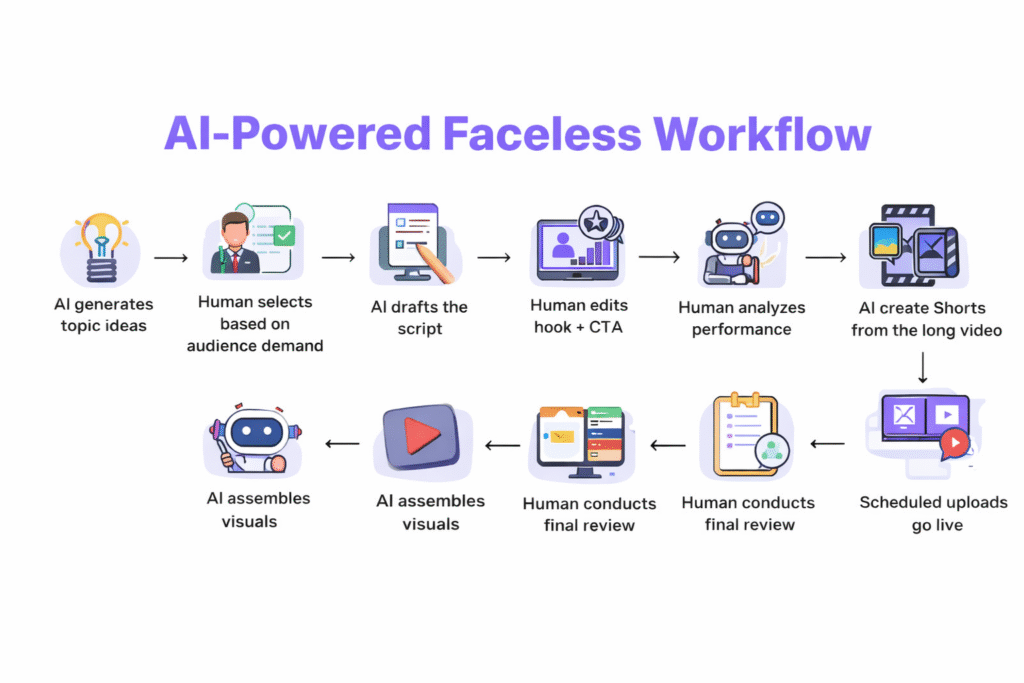
Streamlining a faceless YouTube channel is about its smart sequencing. The most scalable channels combine AI efficiency with targeted human input at decision points that impact retention, engagement, and monetization. This kind of hybrid workflow ensures that speed doesn’t come at the cost of quality or audience trust.
Below is a simplified weekly workflow used by creators who consistently publish high‑quality content while saving time:
- AI generates topic ideas
- Human selects based on audience demand
- AI drafts the script
- Human edits hook + CTA
- Human analyzes performance
- AI voiceover with AI tools
- AI assembles visuals
- Human conducts a final review
- AI creates Shorts from the long video
- Scheduled uploads go live
For many creators, partner services like ShortVids can fit smoothly into this workflow. ShortVids specializes in turning long‑form videos into optimized Shorts, repurposing content with attention‑grabbing captions, resizing, and mobile‑friendly edits, all without hiring a separate editor.
This complements the AI faceless YouTube stack by automating the “repurposing workload”. It also allows creators to maintain high volume while focusing their time on strategy and creative refinement rather than repetitive post‑production tasks.
A strong real example is how SuperDupe scaled AI-generated videos with ShortVids. A client project where ShortVids handled over 235+ creatives, supporting scalable video output while preserving quality and consistency. We excel in streamlining editing workflows, reducing turnaround times, and maintaining high‑output content that aligns with broader growth goals.
This kind of support makes it far easier for faceless channel creators to sustain both quantity and quality.
Your Takeaway!
Struggling to scale your faceless channel? AI tools are your leverage, not your replacement. Creators can automate repetitive tasks, keep humans in creative control, and focus on what drives engagement. Platforms like ShortVids with their top-notch services make repurposing, Shorts creation, and editing effortless, letting you publish more without burning out. Contact today & turn your AI-assisted workflow into a growth machine with ShortVids!
Frequently Asked Questions
Yes, these tools are allowed as long as the content adds original value and isn’t repetitive or misleading.
Technically yes, but fully automated channels rarely sustain long-term growth or monetization.
Pictory and InVideo are beginner-friendly for assembling faceless videos quickly.
Yes, when combined with human oversight. Cheap doesn’t mean low-quality if used strategically.
Yes. Demand for scalable, niche content continues to grow, especially in Shorts.
Book a Call Today
- Fixed monthly plans starting at $999
- 24-hour turnaround time (or less) on all short-form edits
- 3-layer quality check system on every video
- No more chasing freelancers or managing editors
- Scale up to 50+ videos/month without hiring in-house
- Content team trained on platform trends, scroll-stopping hooks & storytelling
- Fully managed by professionals – you just upload & approve
- Response time: Under 1 hour (US & GCC time zones)
Cut your production costs, not your standards.